How it works

How ReacherPro works, from first seat to booked meeting.

Connect your accounts, paste a search of who you want to reach, and ReacherPro builds the list, writes the messages and runs the sequence. Your team steps in when someone replies.

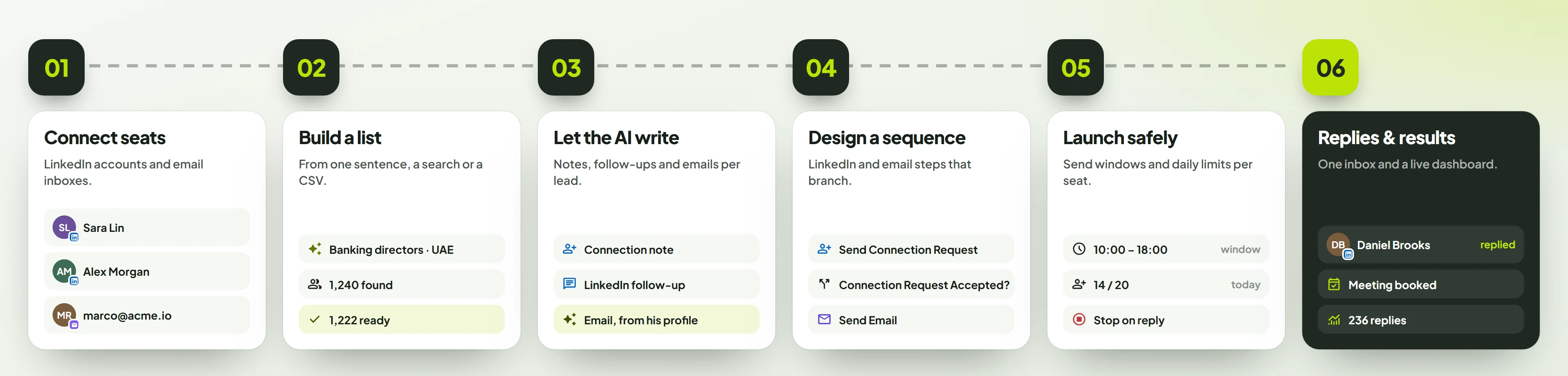
The six-step flow: connect seats, build a list, let the AI write, design a sequence, launch safely, then work replies and see results.

Step 1 · Seats

Connect your LinkedIn accounts and inboxes.

Every person who sends gets a seat. LinkedIn and email sit side by side, on the same plan.

  • A seat is one LinkedIn account or one email inbox.
  • Gmail and Outlook sign in with OAuth; any other inbox connects over IMAP/SMTP.
  • New mailboxes warm up on their own, from 5 to 50 emails a day over 14 days.
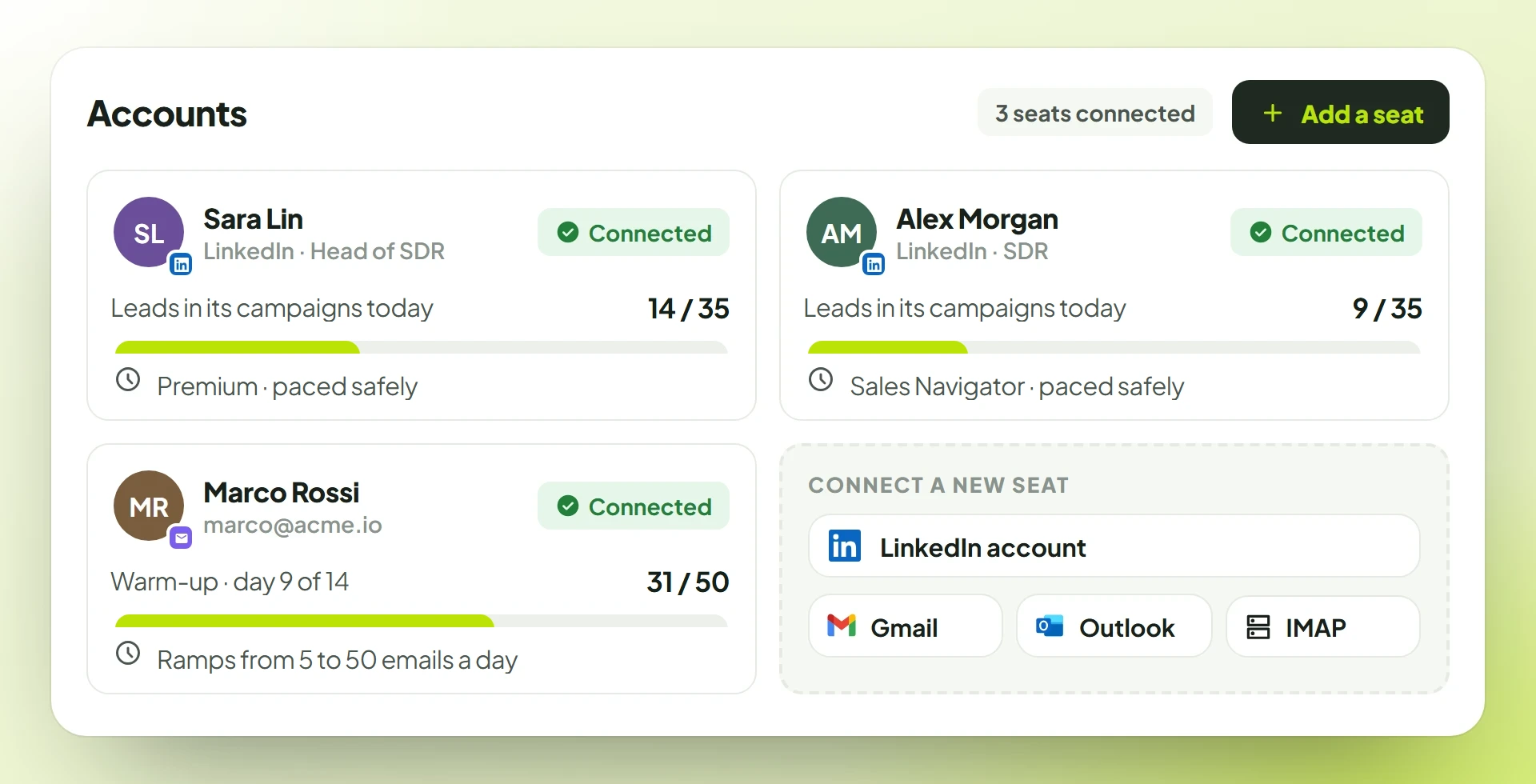
The Accounts page: two LinkedIn seats and one email inbox connected, with their status, and options to connect LinkedIn, Gmail, Outlook or IMAP.

Step 2 · Lead list

Build a list of the right people.

The search you already run on LinkedIn becomes a ready lead list in minutes. Or bring the list you already trust.

  • Paste a LinkedIn or Sales Navigator search; ReacherPro pulls the leads in page by page.
  • Or upload a LinkedIn or email CSV you already have.
  • Duplicates and anyone on your Do Not Contact list are skipped.
Read the guide
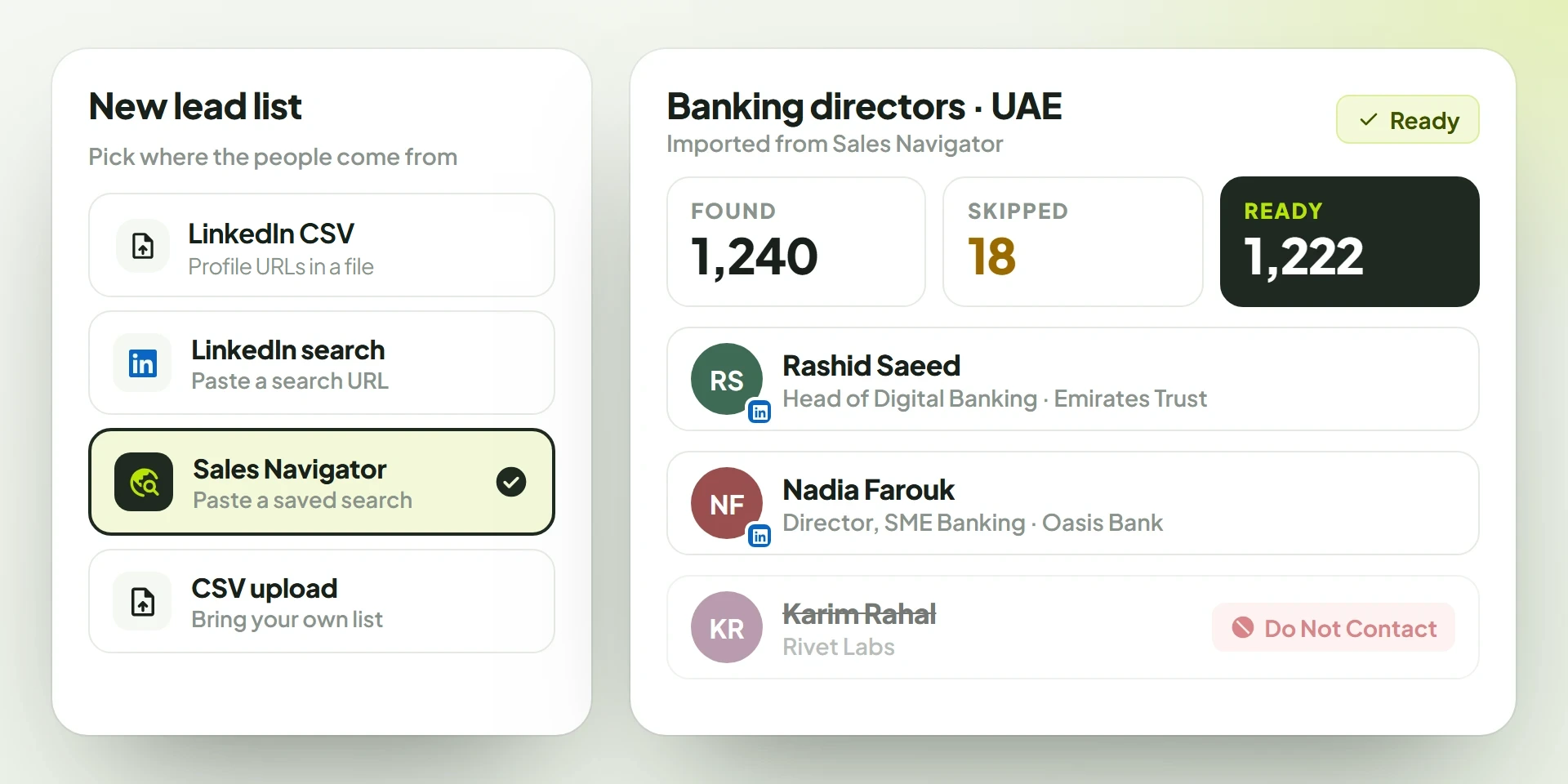
A new lead list imported from Sales Navigator: 1,240 found, 18 skipped, 1,222 ready, with one lead on the Do Not Contact list struck out.

Step 3 · AI writing

Let the AI write each message.

Every note, follow-up and email is written from that prospect's own profile, so no two leads get the same text.

  • Connection notes, LinkedIn follow-ups, InMail, post comments and emails.
  • Set the tone, length, language and call to action.
  • Read an example first, edit anything, or write it yourself.
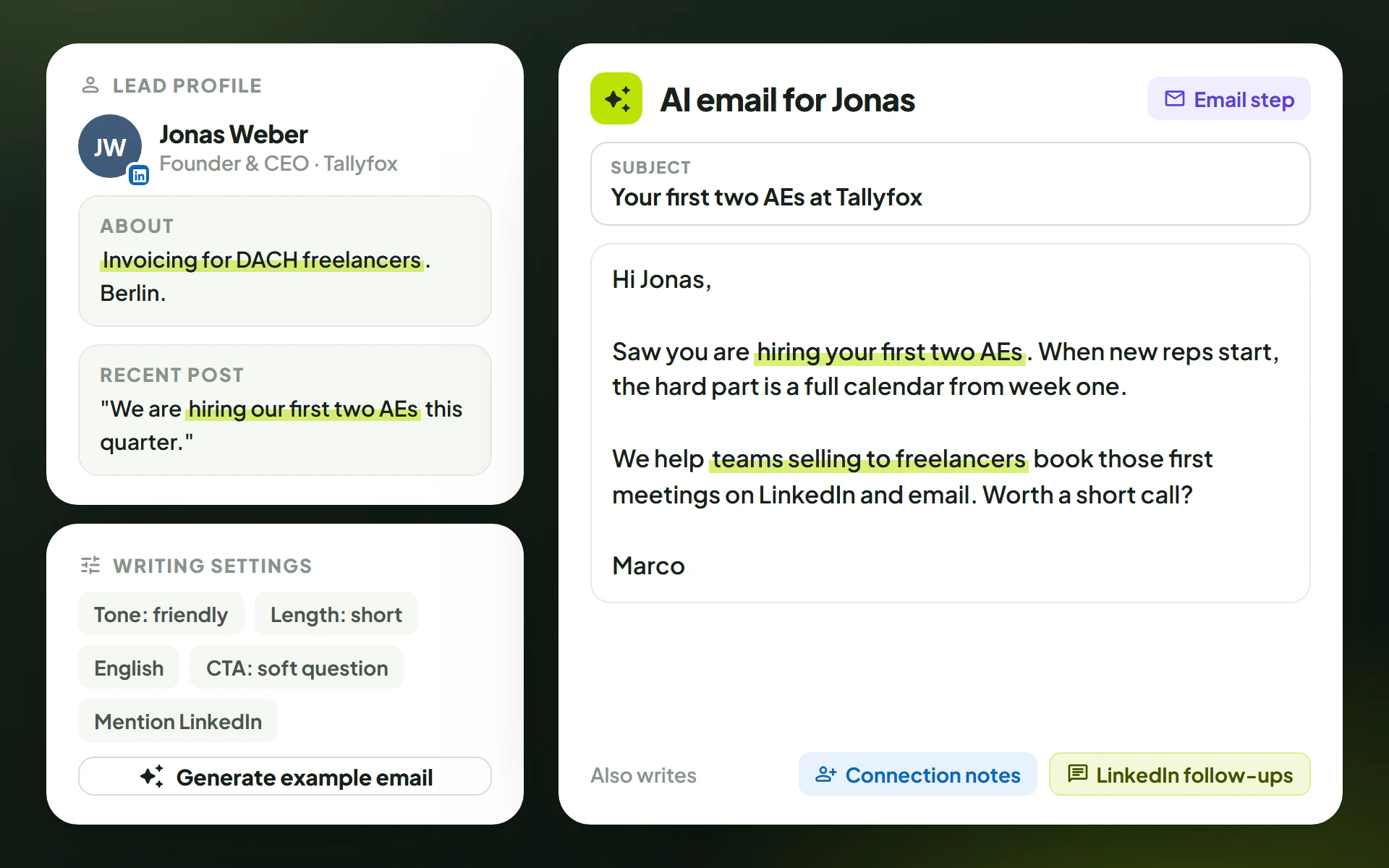
The AI writing an email for Jonas Weber from his profile and recent post, with tone, length, language and call-to-action settings.

Step 4 · Sequence

Design the sequence on a canvas.

Each lead takes the path that fits what they actually did: accepted, ignored, opened or replied.

  • Start from one of 8 ready templates, or drag LinkedIn and email steps onto the canvas.
  • Yes/no branches on accepted invites, replies, email opens and link clicks.
  • Waits from minutes to weeks; tag leads, call a webhook, export the sequence as JSON.
Read the guide

Step 5 · Launch

Launch at a safe pace.

Activity is spread across your working hours, the way a person would send, not in one burst.

  • A send window, sending days and timezone on every campaign.
  • Each campaign starts at most 45 new leads a day.
  • Follow-ups stop for a lead the moment they reply.
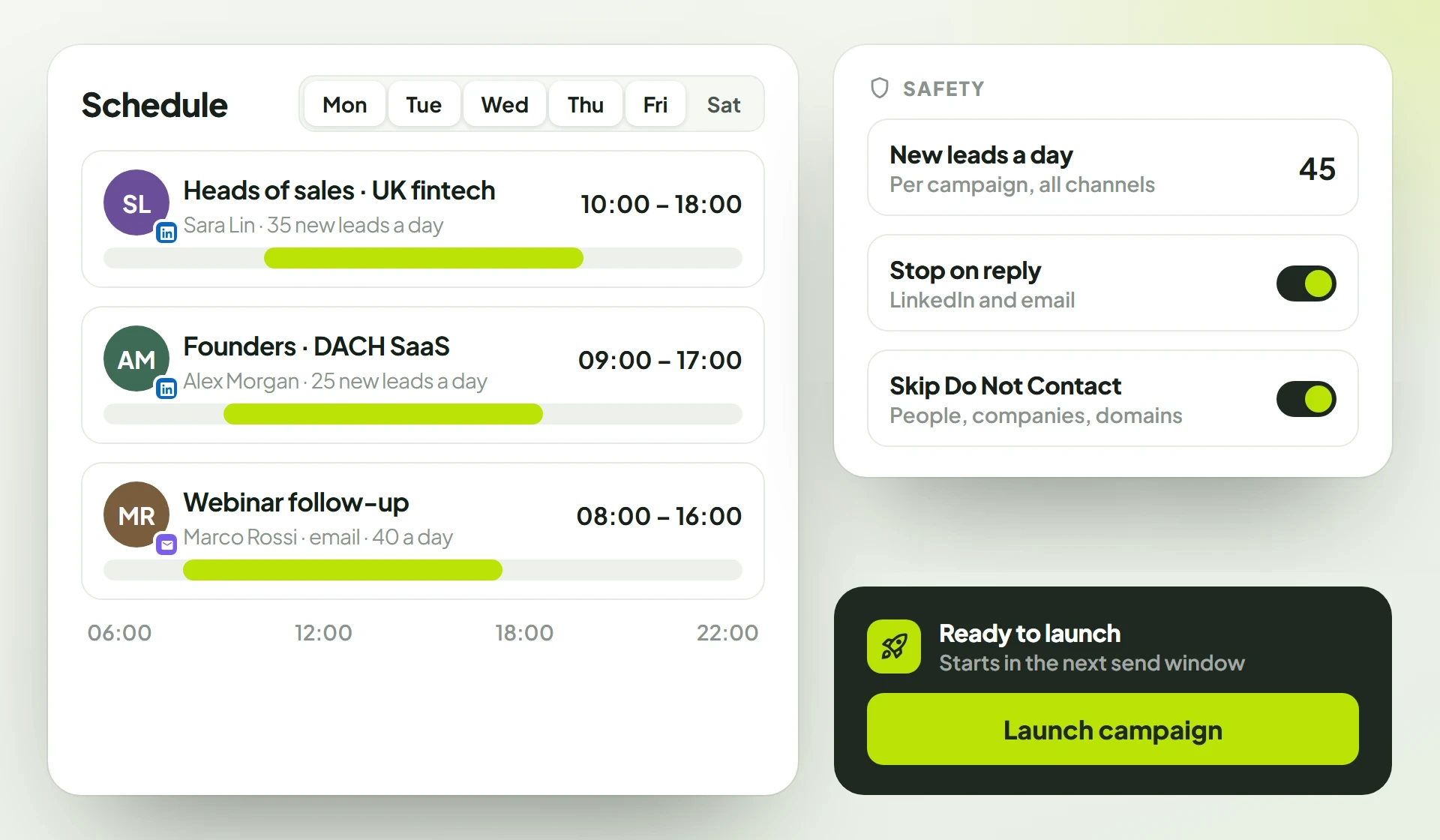
Launch settings: a send window on a day timeline, sending days and timezone, a pace of up to 45 new leads a day, stop on reply and skip Do Not Contact.

Step 6 · Replies & results

Work every reply and track results.

Your team picks up real conversations in one place, and sees which campaigns are working while they run.

  • LinkedIn and email replies in one Conversations inbox.
  • Tag threads, mark a meeting booked and reply in place.
  • The dashboard shows today's activity, opens, clicks and replies.
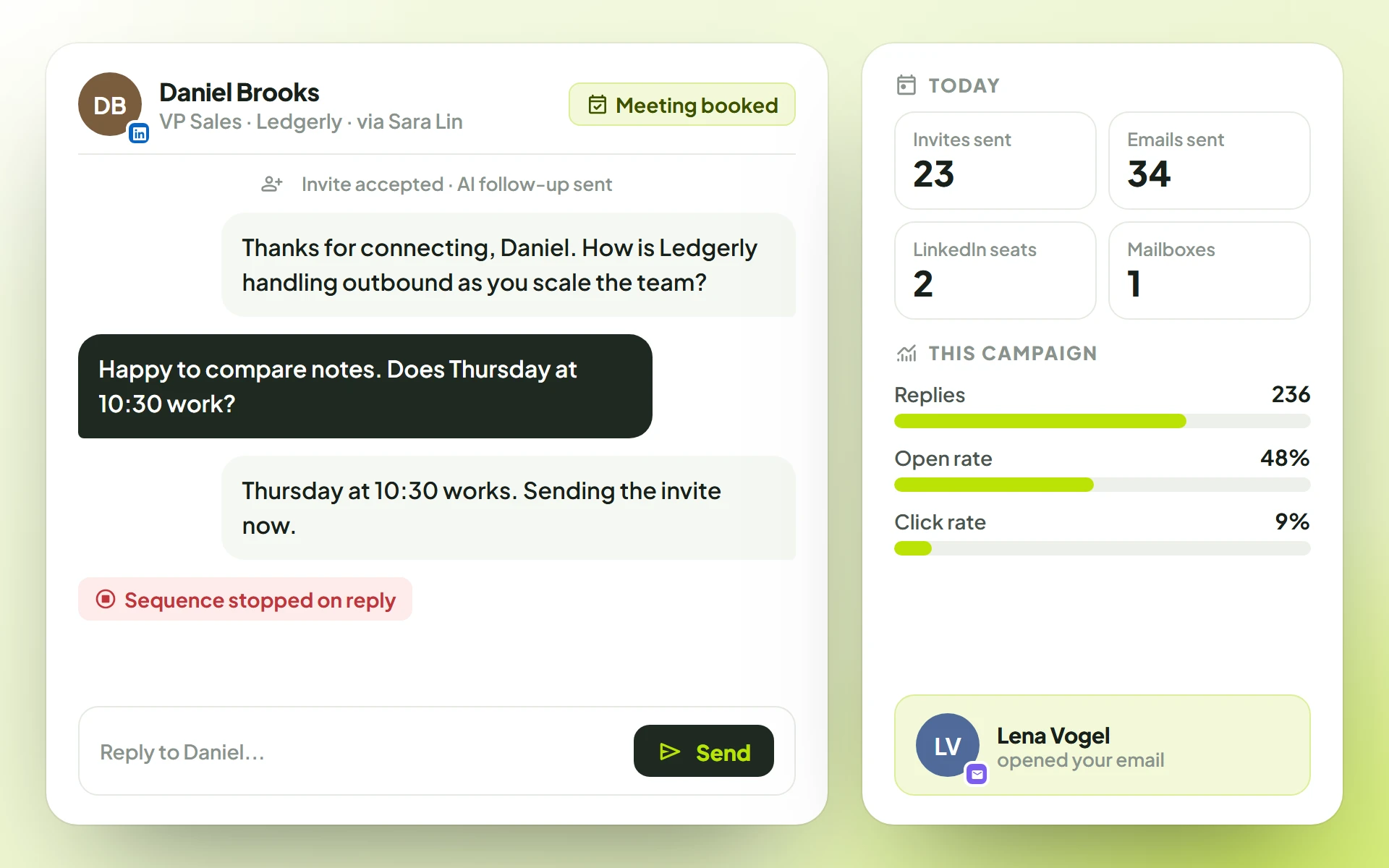
A LinkedIn thread with Daniel Brooks tagged Meeting booked after the sequence stopped on his reply, beside the dashboard's Today strip and the campaign's replies, open rate and click rate.

FAQ

How it works, answered

The questions teams ask before their first campaign.

  • Paste a LinkedIn or Sales Navigator search, start from one of eight ready sequence templates or drop your own steps onto the canvas, and launch. The AI can write the first draft of each message, so the slow part — working out what to say to whom — is largely done before you start editing.

  • ReacherPro runs outreach on LinkedIn and email. On LinkedIn, a sequence can visit profiles, like and comment on posts, follow people and company pages, send connection invites, follow-up messages and InMail, and withdraw invites, across the sender seats on your plan. Email, tag and webhook steps run in the same sequence, with conditions for accepted invites, replies, email opens and link clicks. On email you can also run an email campaign (an automated email sequence to an email list) or send an instant email to a few people or a whole list. WhatsApp, Telegram, Instagram, iMessage and X are on the roadmap.

  • Their follow-ups stop. Smart Follow-up holds every message step once a prospect replies, reply conditions route the rest of the sequence around them, and an email campaign stops on reply. The conversation lands in Conversations for your team to pick up — so nobody gets an automated nudge after they have already answered.

  • Credits pay for AI writing. Each seat gets 50 AI credits a month on Team and 100 on Agency, and every AI follow-up deducts 1 credit, so one Team seat covers 50 AI follow-ups a month. Credits renew every month. Campaigns, conditions, list imports, Conversations and the dashboard never use them, so everything else keeps working whatever your balance.

Early access

Get in before
the doors open.

We're opening ReacherPro to teams in small batches. Join the waitlist and we'll bring you in as seats open.

  1. Early access as seats openTeams on the list are brought in first, a small batch at a time.
  2. A setup call with our teamWe build your first campaign with you, on your use case.
  3. No card, no commitmentJoining is free. You decide on seats once you're in.
Request early accessTakes under a minute. We reply by email.

We only use this to contact you about ReacherPro. Privacy policyProtected by reCAPTCHA; the Google Privacy Policy and Terms of Service apply.