
Email outreach
Email outreach that follows every open, click and reply
Connect your inboxes, run email sequences that branch on what each person does, or send one email to a whole list right now. The AI can write every email from the prospect's own profile.
- Gmail
- Outlook
- IMAP / SMTP
Three ways to send
Pick the shape of the outreach
Every option sends from your own connected inbox, and every reply lands in Conversations.
LinkedIn campaign
A LinkedIn sequence with email steps where you want them.
- Switch to email if an invite isn't accepted
- Branch on LinkedIn and email replies
- One sequence, both channels
Email campaign
An automated email sequence sent to an email list.
- Automatic follow-ups
- Branch on opens and clicks
- Stops when a lead replies
Instant email
Write one email and send it right now.
- To a few people or a list
- Personalized for each contact
- No sequence to set up
Connect your inboxes
Your inboxes, your sender names
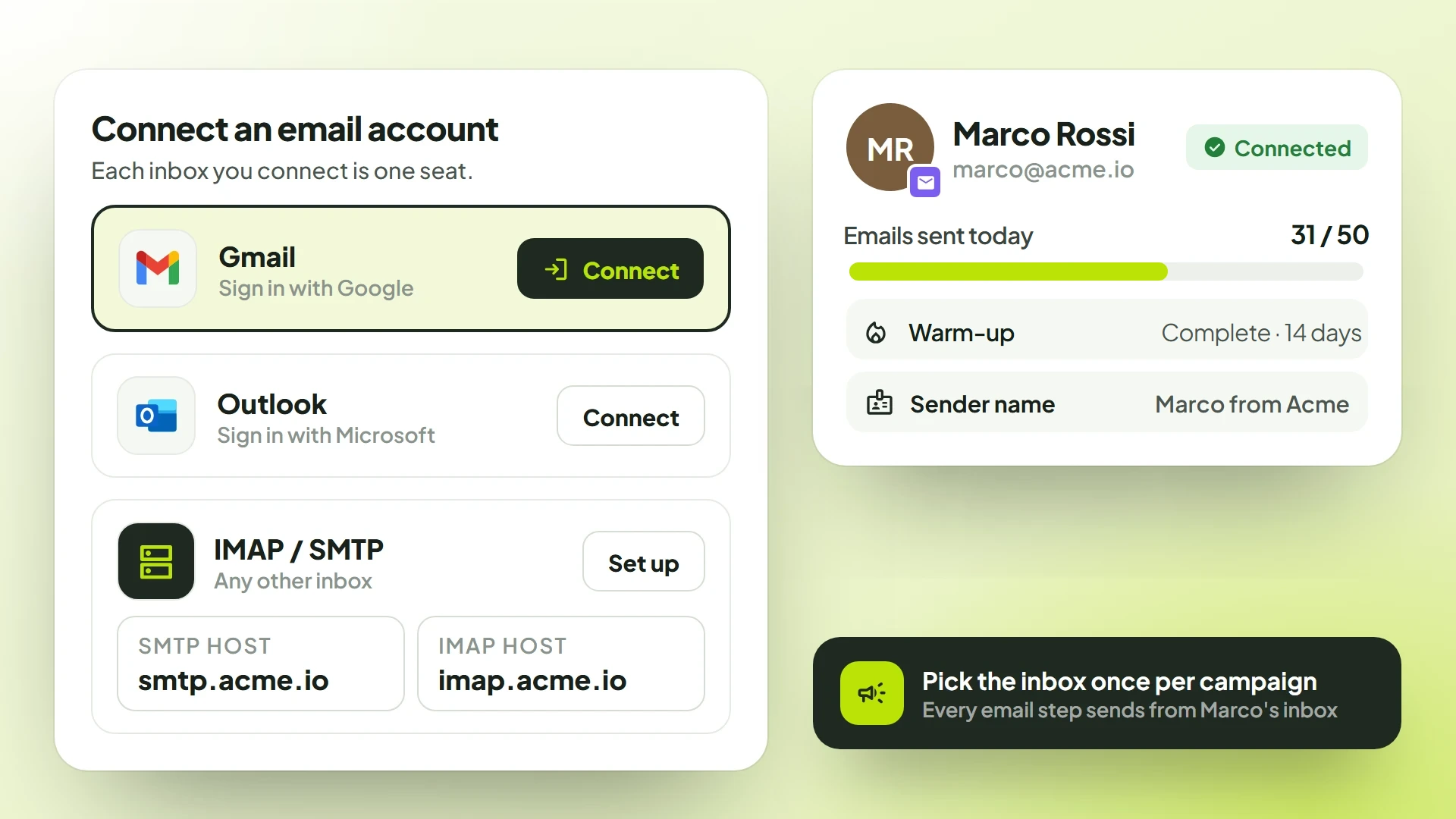
Each inbox you connect is one seat, and it warms up on its own: 5 emails a day at first, up to 50 a day after 14 days. Pick the sending inbox once on a campaign and every email step uses it.
- GmailSign in with Google
- OutlookSign in with Microsoft
- IMAP / SMTPAny other inbox
The email step
One step, everything an email needs
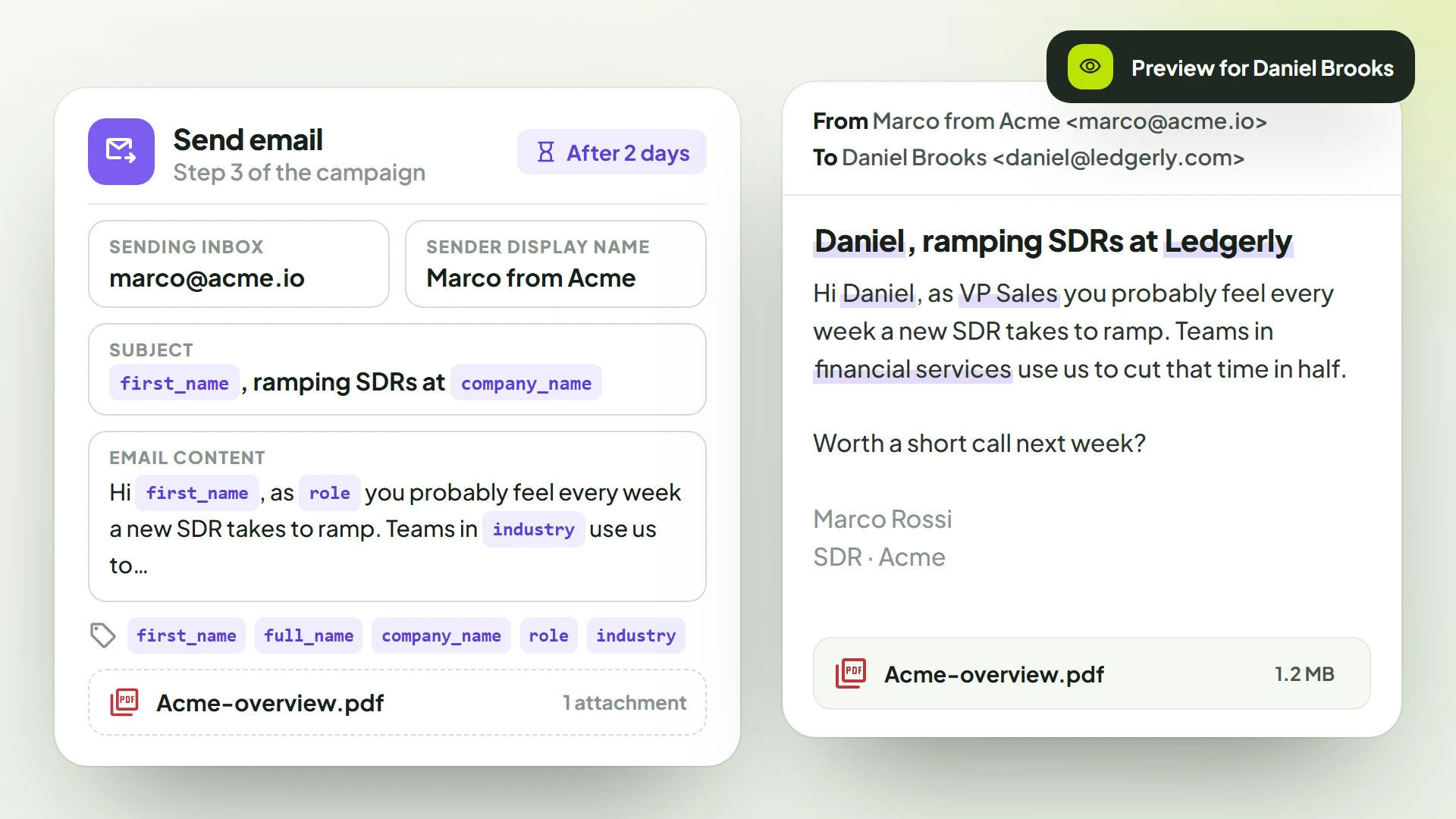
Write it once with tags and every lead gets their own copy, with their name, company and role filled in.
- Sending inbox
- Any connected Gmail, Outlook or IMAP/SMTP inbox.
- Sender display name
- The name people see in their inbox.
- Now or after a delay
- Send right away, or wait minutes, hours, days or weeks.
- One attachment
- A deck or case study up to 10 MB, on emails, LinkedIn messages and InMail.
Personalization tags
- first_name
- full_name
- company_name
- role
- industry
AI-written emails
Every email written for the person reading it
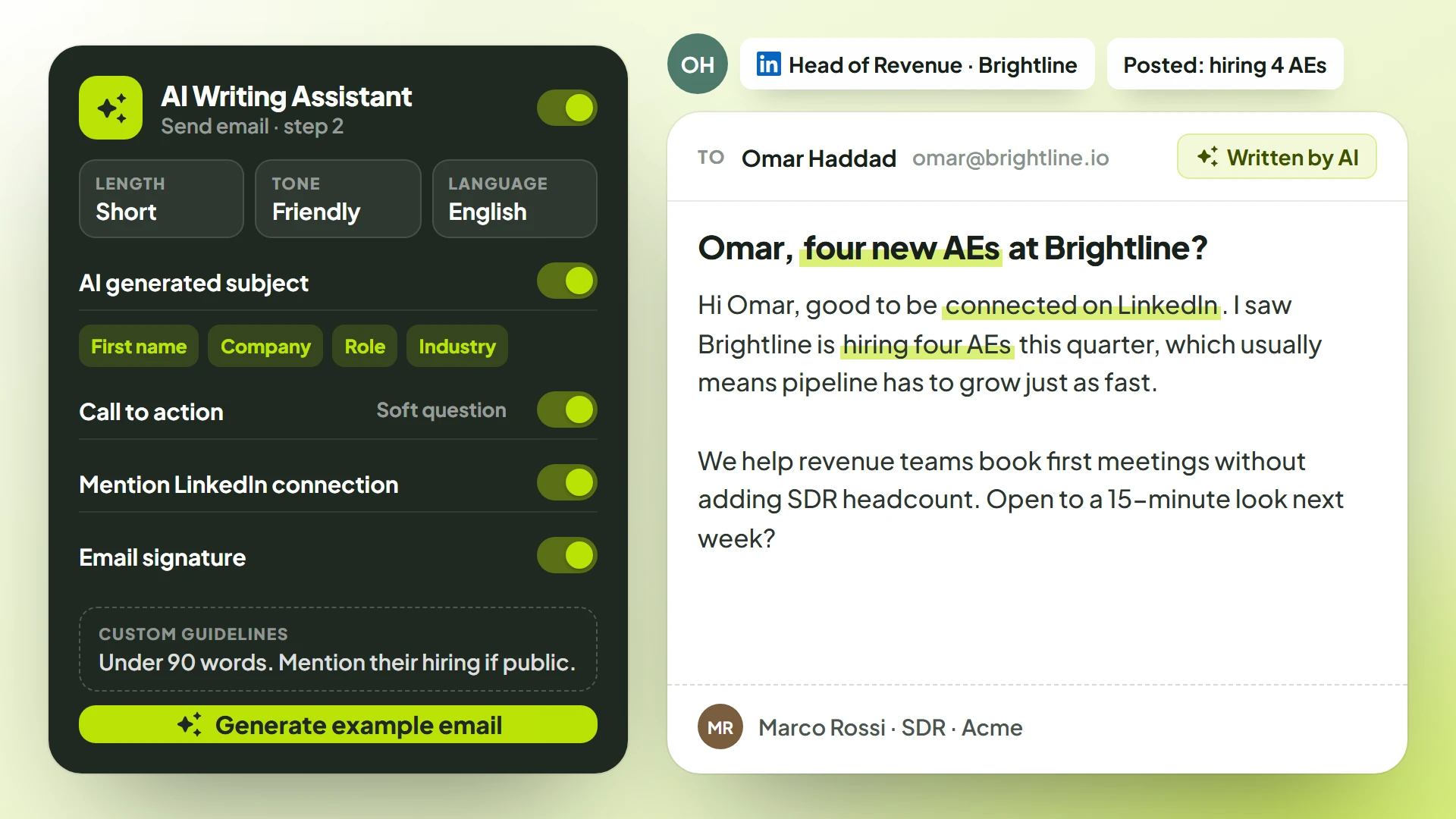
The AI reads the lead's profile and writes the subject and the body. Try it with "Generate example email" before anything goes out.
- Subject and body
- Length
- Tone
- Language
- Name, company, role, industry
- Call-to-action style
- Mention the LinkedIn connection
- Your signature
- Custom guidelines
Instant email
One email, to everyone who needs it, right now
No sequence to build. Write it, check it, send it, and every reply lands in Conversations.
- Up to 500 people typed or pasted, existing leads, or an email list
- Write it yourself, or let the AI write each copy
- A checklist confirms everything before it sends
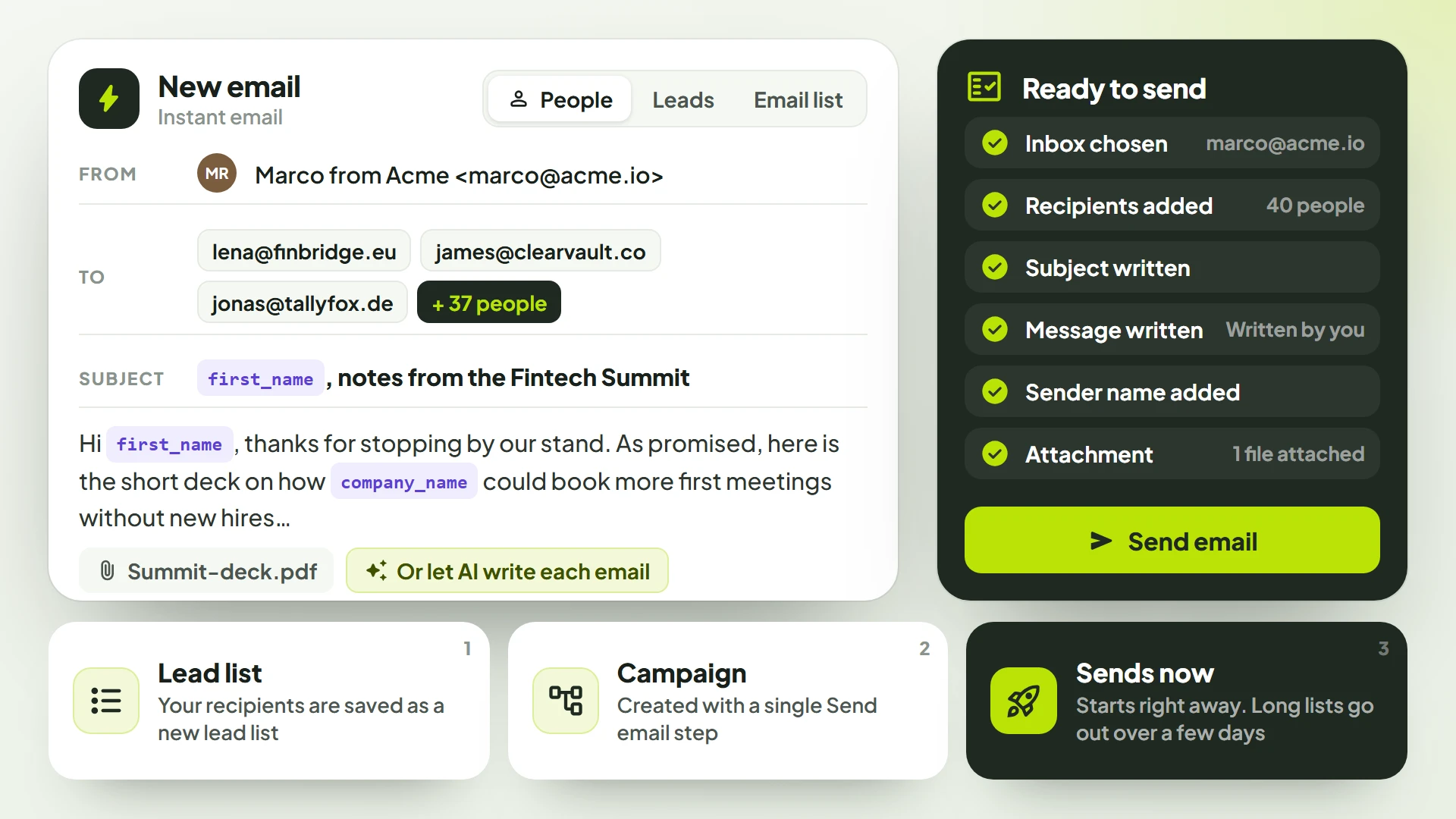
- Step 1
Lead list
Your recipients are saved as a new lead list.
- Step 2
Campaign
Created with a single Send email step.
- Step 3
Sends now
Starts right away at a steady 45 a day, so long lists go out over a few days.
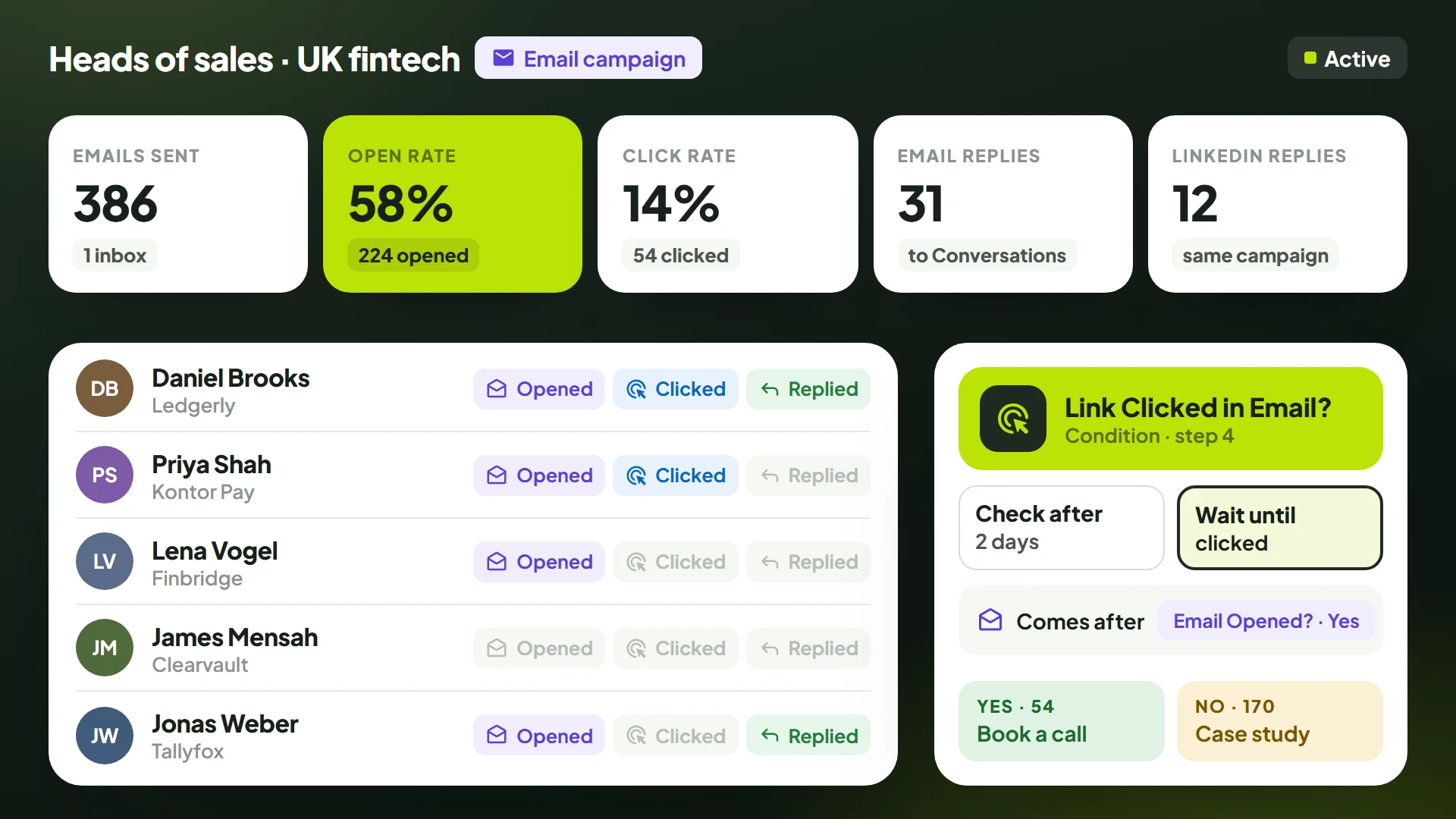
Tracking and branching
See who opened. Act on who clicked.
Every campaign counts what happened, and every lead carries its own flags. Then the sequence uses them.
- Opens
- Clicks
- Email replies
- LinkedIn replies
- Open rate
- Click rate
- Email opened?
- Link clicked in email?
- Replied via email?
- Replied on LinkedIn?
Each one checks after a delay you set, or waits until it happens.
Do Not Contact
"Please don't email me again" is one click
A reply stops the sequence. One click on "Do not contact" adds the person's email and LinkedIn profile to your workspace's blocklist, so no campaign reaches them again, on either channel.
How the Do Not Contact list works@domain.com
Everyone at a domain
An email address
One person's inbox
A company
Everyone who works there
A person
Their LinkedIn profile
Gmail and Outlook (you sign in with Google or Microsoft), or any other inbox over IMAP and SMTP. Each connected inbox is one seat, sends up to 50 emails a day and warms up automatically over its first 14 days. You pick the sending inbox once on a campaign and every email step in it sends from that inbox, inside the campaign's send window.
One email you write and send right now, without building a sequence. Address up to 500 people by typing or pasting their addresses, pick existing leads, or choose an email list. Every copy is personalized, you can write it yourself or let the AI write each one, and a checklist confirms everything before it goes. ReacherPro saves it as a lead list and a campaign with one Send email step; it starts right away, sends at a steady 45 a day so long lists go out over a few days, and replies land in Conversations.
Yes. Each campaign shows opens, clicks, email replies and LinkedIn replies, with its open rate and click rate, and every lead is flagged with what they did. A sequence can branch on "Email opened?", "Link clicked in email?" or "Replied via email?", either checking after a delay or waiting until it happens.
Early access
Get in before
the doors open.
We're opening ReacherPro to teams in small batches. Join the waitlist and we'll bring you in as seats open.
- Early access as seats openTeams on the list are brought in first, a small batch at a time.
- A setup call with our teamWe build your first campaign with you, on your use case.
- No card, no commitmentJoining is free. You decide on seats once you're in.