LinkedIn outreach5 min read
How to Automate LinkedIn Outreach Safely
A practical guide to LinkedIn automation that protects your account — steady daily limits, send windows, real personalisation and stopping on reply.
 ReacherPro TeamProduct & growth
LinkedIn is still the best place to start a B2B conversation. It is also where a careless automation setup gets a sender account restricted fastest — and losing an account mid-quarter costs far more than the hours automation was meant to save.
The good news: accounts rarely get flagged for automating. They get flagged for behaving in ways no person would. Fix the behaviour and you keep the time savings without the risk. This guide walks through the seven habits that matter most.
Why LinkedIn restricts accounts
LinkedIn does not publish the exact rules it uses, but the patterns that lead to warnings and restrictions are well known across sales teams:
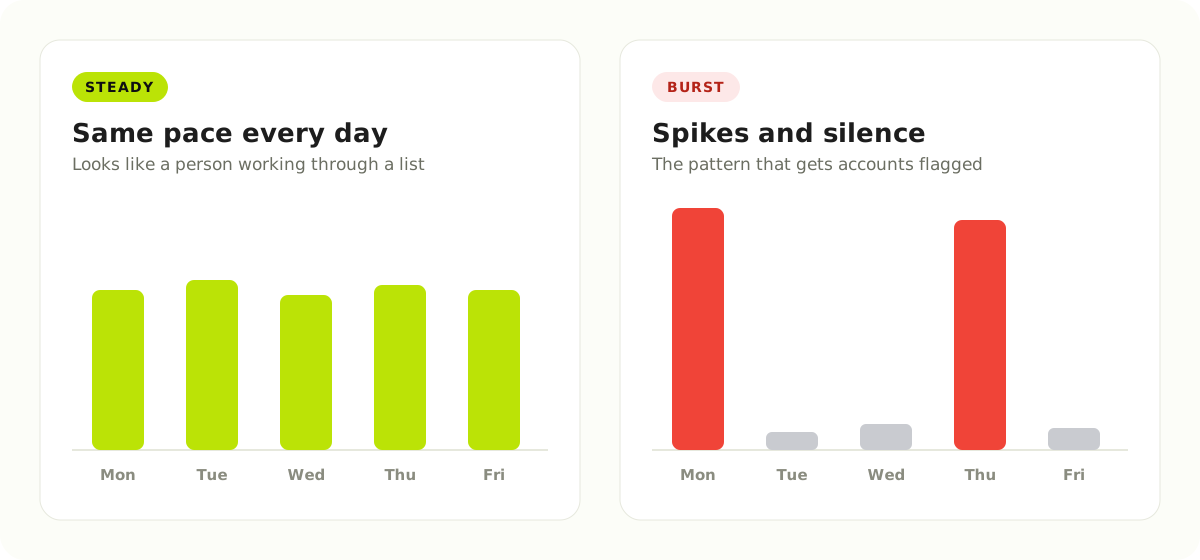
- Sudden spikes in activity — fifty invitations on Monday after a quiet week.
- Activity at all hours — actions firing at 3 a.m. in the sender's own time zone.
- The same message sent to everyone — identical copy across hundreds of invitations.
- Invitations nobody accepts — a long tail of ignored or declined requests.
- Nudging people who already replied — the clearest sign that nobody is reading.
Every habit below answers one of these.
1. Keep a steady daily pace
The single most important rule is consistency. LinkedIn limits how many connection invitations an account can send each week, and the exact number is not published — it varies by account. Rather than chasing a ceiling, set a daily limit per sender account that you could plausibly do by hand, and keep it the same day after day.
New or rarely used accounts deserve extra care: start low and raise the limit gradually over a few weeks, rather than switching a dormant profile straight to full volume.
2. Send inside working hours
People send invitations and messages during their working day. Your automation should too. Pick a send window — for example, 9 a.m. to 6 p.m. on weekdays in the sender's own time zone — and keep every action inside it.
Send windows also help your results: a message that arrives while the prospect is at their desk is more likely to be read than one waiting under a pile of overnight notifications.
3. Write every message for one person
A template with {first_name} swapped in is still a template, and prospects can tell. Generic copy gets ignored, and a low acceptance rate is itself a warning sign.
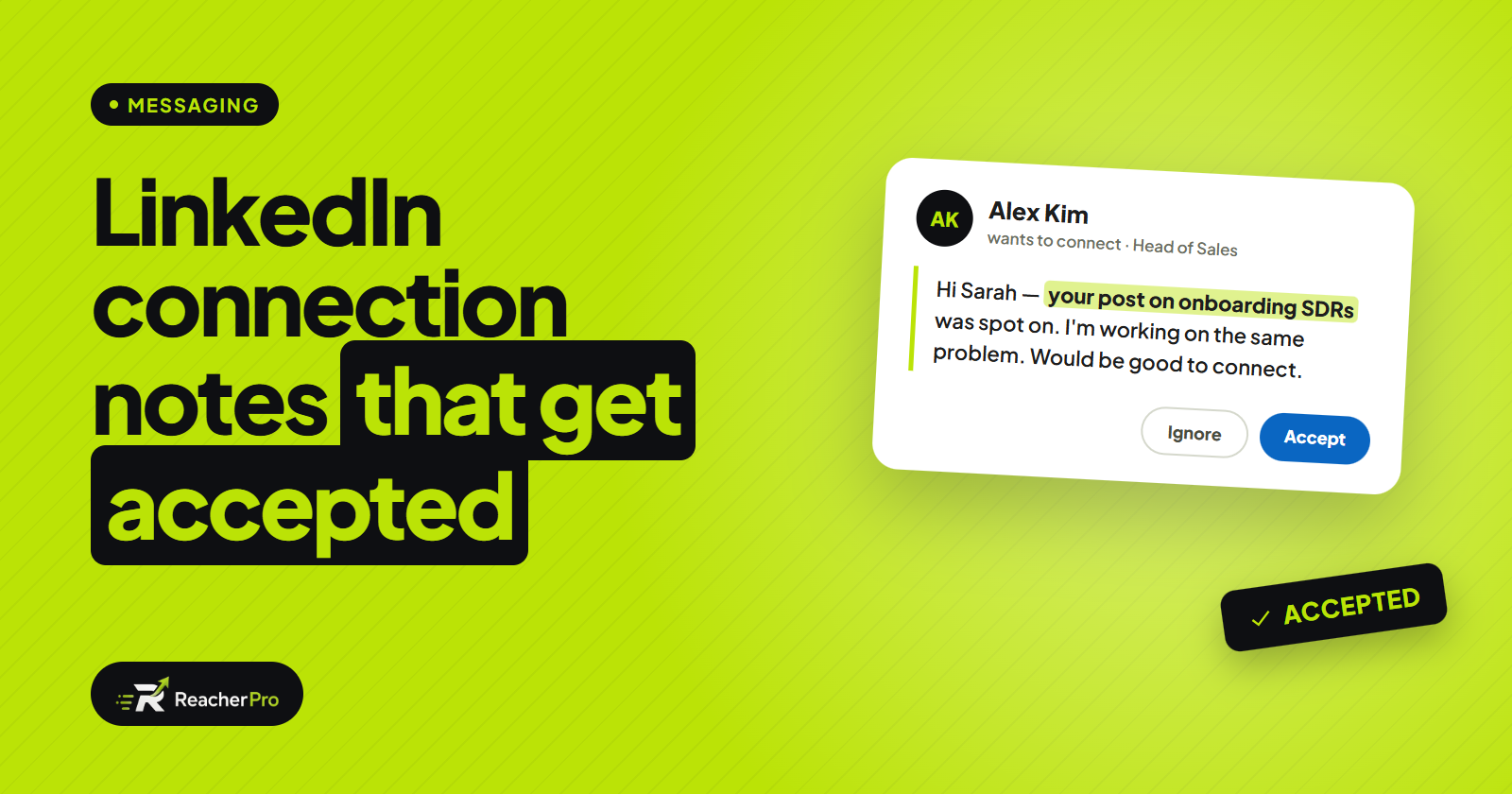
Good personalisation refers to something real: the prospect's role, what their company is doing, or a post they wrote recently. That used to take an SDR several minutes per prospect. Today, AI can draft each message from the prospect's own profile, leaving your team to review the tone rather than research from scratch.
4. Warm up before you connect
A connection request from a stranger is easy to ignore. A request from someone who has already viewed your profile and engaged with your post is not. Build that warm-up into the sequence itself:
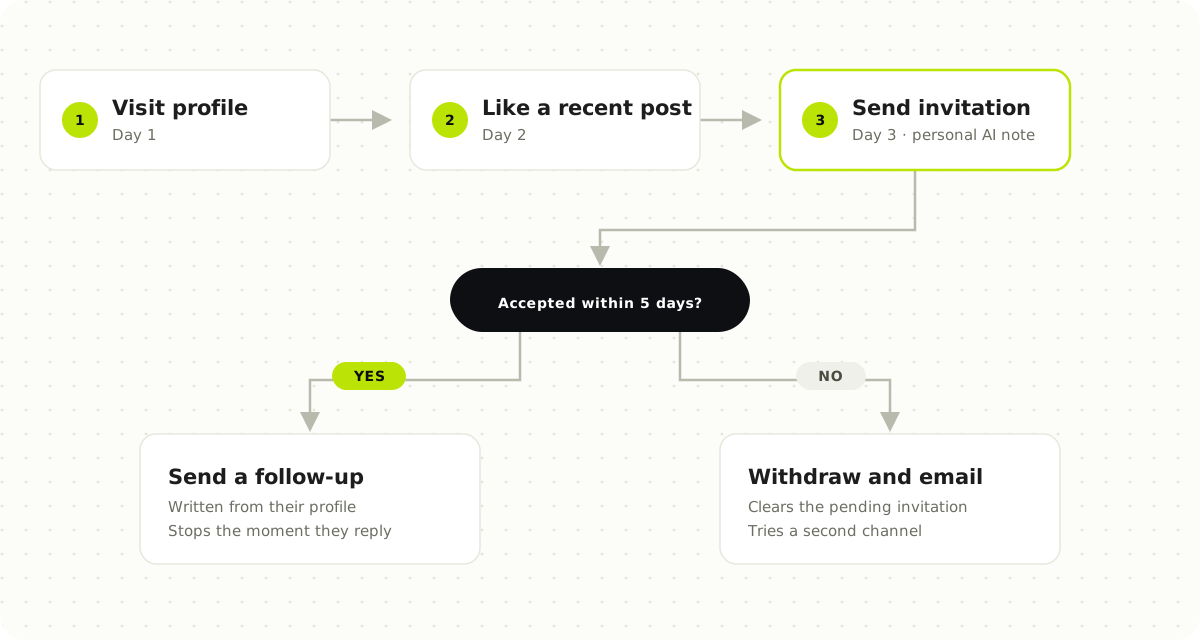
The branch matters as much as the warm-up. If the invitation is accepted, send a follow-up. If it is not accepted after a set time, do something else — withdraw it, or try another channel such as email — instead of letting it sit.
5. Stop the moment someone replies
Nothing undermines trust faster than an automated "just bumping this up" sent to someone who answered yesterday. Every sequence should stop for a prospect the moment they reply, and hand the conversation to a person.
This is also where the time saved by automation should go: into real conversations, not into more volume.
6. Run from the cloud, not a browser extension
Many LinkedIn tools run as browser extensions, inside your own browser session. That ties your outreach to your laptop: activity stops when it sleeps and bunches up when it wakes — exactly the uneven pattern you are trying to avoid.
Cloud-based tools run on their own servers, so they can keep a steady rhythm inside your send windows whether your laptop is open or not.
7. Watch account health and keep lists clean
Treat each sender account as an asset you monitor, not a pipe you push through:
- Check account health regularly, and pause a seat at the first warning rather than pushing through it.
- Withdraw old pending invitations that were never accepted.
- Never contact the same person twice from different campaigns or seats.
- Keep a blacklist of companies and people you should never contact — current customers, partners, competitors.
A quick checklist
| Habit | What to set up |
|---|---|
| Steady pace | A daily limit per sender account, raised gradually for new accounts |
| Working hours | A send window in each sender's own time zone |
| Real personalisation | Messages drafted from each prospect's own profile |
| Warm-up | Profile visit and post engagement before the invitation |
| Branching | Different next steps for accepted and not-accepted invitations |
| Stop on reply | Sequences end the moment a prospect answers |
| Steady infrastructure | Cloud-based sending, not a browser extension |
| Clean lists | Duplicate protection, a blacklist and regular invitation clean-ups |
How ReacherPro handles this
ReacherPro was built around these habits, so they are the default rather than a checklist your team has to remember. Campaigns run from the cloud with daily limits and send windows on every sender seat. Sequences branch on what each prospect actually does and stop the moment someone replies, the AI drafts every message from the prospect's own profile, and the dashboard shows the health of every seat. You can read the details on our LinkedIn safety page, or see every feature.
Automation should make your outreach more careful, not less. Set it up to behave like your best SDR on their most disciplined day — and let it do that every day.